
Download PureVPN – Fast, Secure, Cross‑Platform VPN Solution
Overview
PureVPN is a multi‑platform Virtual Private Network (VPN) that targets users who need robust online security, want to bypass geo‑restrictions, or simply require a private tunnel for data transfer. Launched in 2007, PureVPN now operates a massive network of over 450 servers in nearly 90 countries, offering an impressive balance of speed, reliability, and privacy. Whether you’re connecting to a public Wi‑Fi hotspot at a coffee shop, streaming Netflix and Hulu from abroad, or safeguarding sensitive business communications, PureVPN provides a single account that can protect up to five devices in the free tier (limited to three days) and up to ten devices with a paid subscription.
The interface is clean and intuitive, displaying your new IP address, bandwidth usage, and connection status at a glance. With automatic server selection, split tunneling, 256‑bit encryption, and support for the modern WireGuard protocol, PureVPN positions itself as a versatile tool for both casual browsers and power users. The service also offers 24‑hour online support, detailed tutorials for each operating system, and a no‑logging policy verified by independent KPMG audits, giving users confidence that their activity remains private.
Core Features and Simple Installation
- Over 450 high‑speed servers in 90+ countries.
- Automatic “Fastest Server” selection with manual city‑level choice.
- 256‑bit AES encryption and OpenVPN protocol support.
- WireGuard protocol for ultra‑fast connections.
- Split tunneling to encrypt selected apps only.
- Obfuscation support for OpenVPN to bypass VPN blocks.
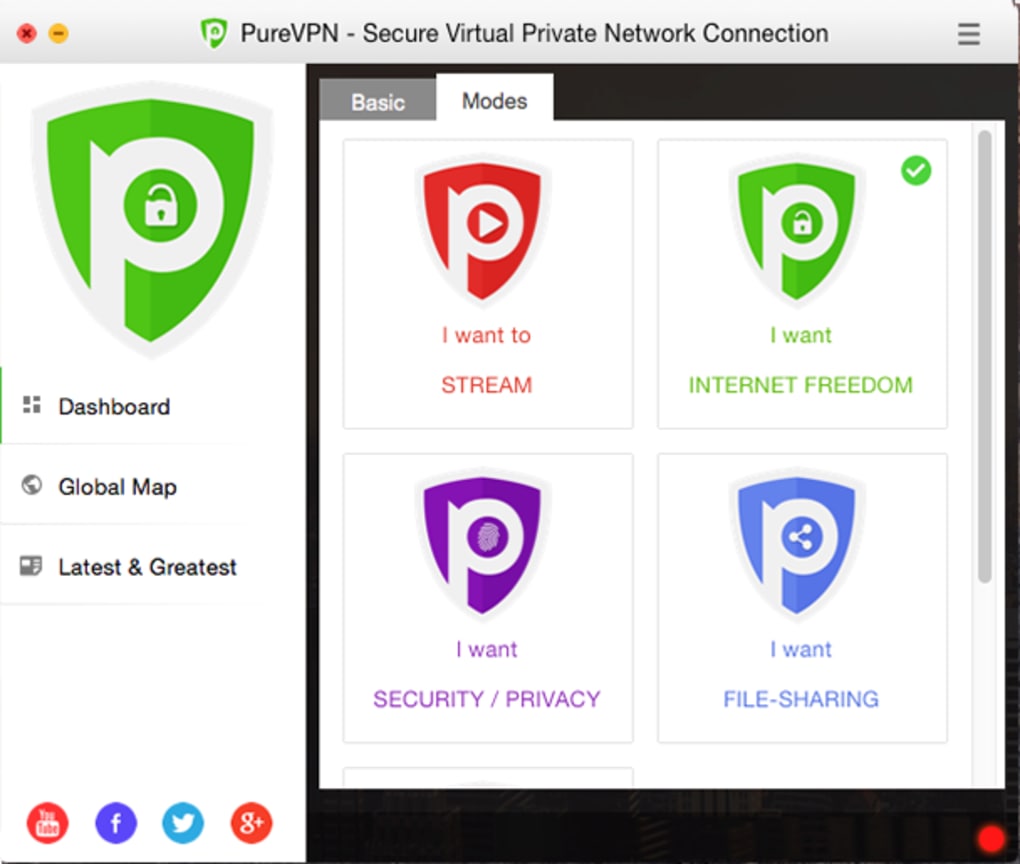
- Dedicated streaming modes for Netflix, Hulu, Disney+, BBC iPlayer, and more.
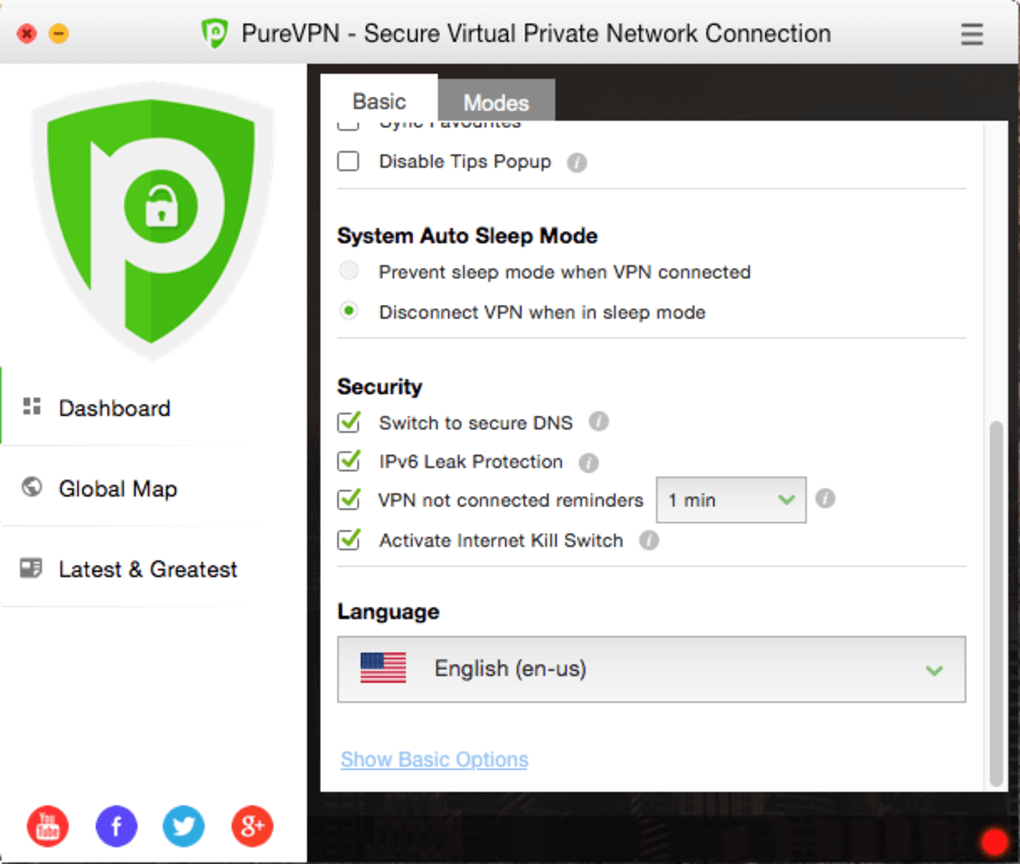
- Auto‑connect, NAT firewall, and secure DNS features.
- Cross‑platform apps for Windows, macOS, Linux, Android, iOS, plus Chrome & Firefox extensions.
- Family sharing – up to 10 devices per subscription.
Installing PureVPN is straightforward on every major platform. Begin by visiting the official PureVPN website and clicking the “Download” button for your operating system. For Windows and macOS, an installer file (.exe or .dmg) is saved; run it and follow the guided wizard – accept the license, choose the installation folder, and let the program place a shortcut on your desktop. Mobile users can locate PureVPN in the Google Play Store or Apple App Store, tap “Install,” and grant the necessary VPN permissions when prompted. Linux enthusiasts can download the .deb or .rpm package, or use the command‑line script provided in the support portal.
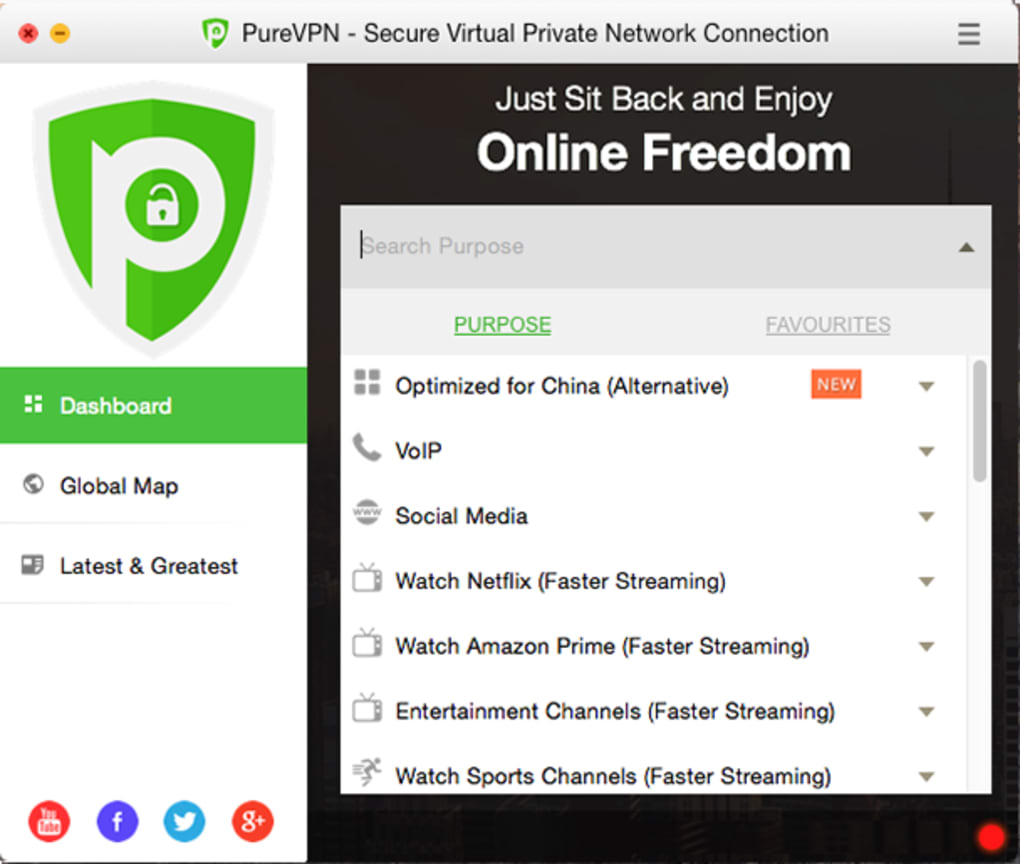
After installation, launch the app and sign in with your PureVPN credentials. The main dashboard presents three primary options: “Streaming,” “Secure Browsing,” and “Custom Server.” Selecting “Streaming” automatically connects you to a server optimized for video playback, while “Secure Browsing” chooses a server with the strongest encryption. For advanced users, the “Custom Server” dropdown lets you pick a specific country or city, and the “Protocol” menu offers OpenVPN, WireGuard, or the legacy PPTP/L2TP options. Once connected, your new IP address and current bandwidth usage appear at the top of the window. If the connection drops, the built‑in Auto‑Connect feature instantly re‑establishes the tunnel, and the optional Kill Switch (available on Windows and Android) can cut all internet traffic to prevent accidental exposure.
Compatibility, Performance, and Real‑World Pros & Cons
PureVPN supports a broad spectrum of operating systems: Windows 10/11, macOS 10.13+ (Catalina and later), Linux distributions (Ubuntu, Debian, Fedora), Android 5.0+, iOS 12+, as well as browser extensions for Chrome, Firefox, and Edge. This wide compatibility ensures that you can protect every device in your household without juggling multiple subscriptions.
In real‑world testing, PureVPN’s WireGuard implementation consistently delivers download speeds within 5‑10% of your native ISP connection, a remarkable achievement for a VPN. Streaming performance is equally impressive; the service reliably unblocks Netflix US, UK, and Japan libraries, as well as Amazon Prime Video and Disney+. The built‑in “Smart DNS” feature (Windows only) further reduces latency for video playback, though macOS users report slightly higher buffering due to the absence of this add‑on. Latency remains low across most server locations, thanks to the extensive global network and the “Fastest Server” algorithm that chooses the nearest, least‑congested node.
Pros:
- Large server pool reduces congestion and provides reliable connections worldwide.
- WireGuard support yields near‑native speeds.
- Strong encryption standards and a verified no‑logging policy.
- Split tunneling and obfuscation enhance flexibility and unblockability.
- Family‑sharing model makes it cost‑effective for multiple devices.
- 24/7 live chat and extensive tutorials simplify troubleshooting.
Cons:
- Mac version lacks Smart DNS and Kill Switch add‑ons, which are present on Windows.
- Free tier limited to three days and only five simultaneous connections.
- Some lesser‑used servers may experience occasional downtime, though the status light helps identify them.
- Pricing plans are competitive but not the cheapest in the market.
FAQ and Final Verdict – Download PureVPN Today
Is PureVPN safe for sensitive business data?
Yes. PureVPN employs 256‑bit AES encryption, supports OpenVPN and WireGuard protocols, and runs a NAT firewall with secure DNS. The service also passed multiple KPMG no‑logging audits, assuring that neither browsing history nor connection logs are retained.
Can I use PureVPN to watch Netflix from abroad?
Absolutely. PureVPN offers dedicated streaming servers that regularly bypass Netflix’s VPN detection. Users report consistent access to US, UK, Japan, and many other catalogs without buffering.
What devices can I protect with a single PureVPN subscription?
A paid PureVPN plan allows up to 10 simultaneous device connections. Supported devices include Windows PCs, macOS laptops, Linux machines, Android phones/tablets, iPhones/iPads, and even browser extensions for Chrome, Firefox, and Edge.
Does PureVPN slow down my internet speed?
When using the WireGuard protocol, PureVPN’s speed loss is typically under 10 %, which feels almost identical to a direct ISP connection. Even on OpenVPN, the extensive server network keeps latency low and throughput high for most users.
Is there a money‑back guarantee?
Yes. PureVPN offers a 30‑day money‑back guarantee on all paid plans, allowing you to test the service risk‑free.
In summary, PureVPN delivers a compelling mix of speed, security, and streaming capability across virtually every platform you own. Its extensive server roster, modern WireGuard support, and verified privacy practices make it a strong contender for anyone looking to protect their online presence or unlock geo‑restricted content. The minor drawbacks—such as the missing Mac‑specific add‑ons—are outweighed by the overall performance and value, especially for families or small teams sharing a single subscription. Ready to experience a faster, safer internet? Download PureVPN now and enjoy a 30‑day money‑back guarantee, 24/7 support, and the peace of mind that comes with industry‑leading encryption.
PureVPN impresses with its massive server network, WireGuard speed, and robust privacy guarantees. While Mac users miss a few premium add‑ons, the overall experience remains smooth and reliable across all major OSes.
Pros: Large server pool, fast WireGuard, strong encryption, family sharing.
Cons: macOS lacks Smart DNS & Kill Switch, free tier very limited.







